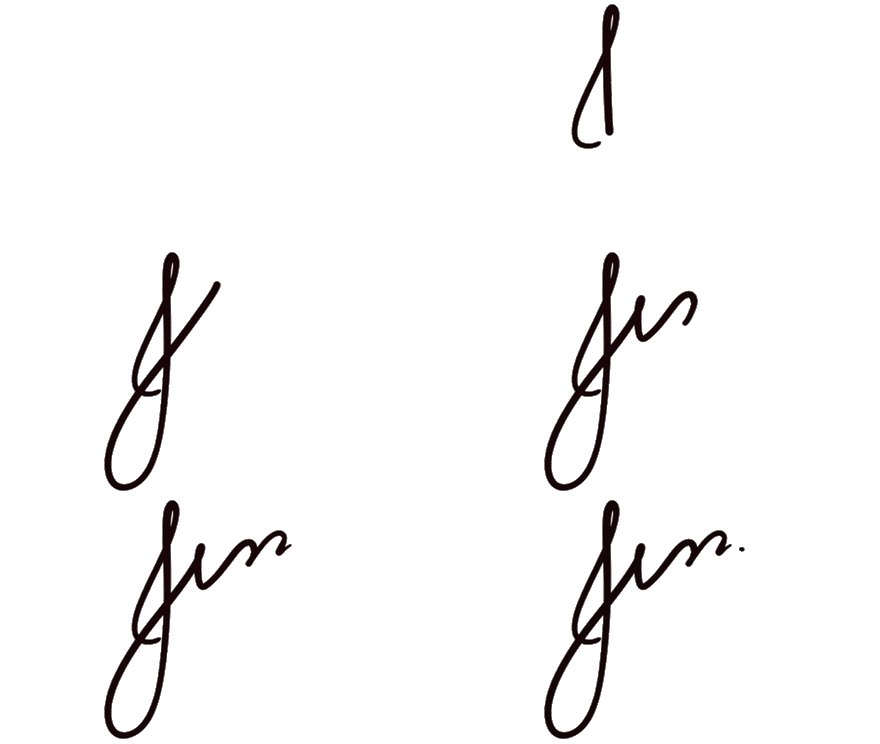
For years now my blog posts ended with a small animated signature: a GIF I drew and hosted on Cloudinary. It showed up at the bottom of every post.
That GIF had one assumption baked in: a pure white background.
When I redesigned the site, that assumption was no longer true. The background is no longer flat white, and I also added dark mode, where the page background looks black but is not true #000.
I did not want to redraw the animation, switch to a static PNG, or worse, remove the signature altogether. So I asked AI for help.
What the signature looked like
I apologize in advance, especially if you are reading this in dark mode, but this is what my signature looked like originally:

I asked Grok to help fix this, and it suggested adding CSS inversion logic so it would look like this:
As you can tell, the background still reads as a patch instead of part of the page in both themes. In light mode, CSS invert turns the white box into a dark slab on an off-white page. In dark mode, the inverted image still floats on top of the background instead of blending in.
Then I remembered something I learned a while ago: GIFs are a collection of images put together and usually looped so fast that they look like an animation or video.
What I needed
So I thought maybe we could just update the images inside this GIF? My prompt to Grok was something along the lines of:
|
Grok handled it with a Python script.
The script to make a GIF with a transparent background
The script lives at scripts/make_signature_transparent.py in my blog repo. It is relatively small and it can:
- Pull the original GIF from Cloudinary or use a local copy.
- Remove near-white pixels frame by frame.
- Export a new animated GIF with real transparency.
- Drop the result into
images/for Jekyll to serve.
Pillow (PIL) handles all of that.
|
|
|
|
|
|
|
|
|
|
|
|
|
|
You can run it from the repo root:
|
|
It writes images/jess-signature-transparent.gif and prints frame count and file size.
Turning a white background into transparency
The core function treats “close to white” pixels as background and makes them transparent:
|
|
|
|
|
|
|
|
|
|
THRESHOLD = 235 means any pixel where R, G, and B are all 235 or higher becomes transparent. That catches the flat white background without eating into the darker ink strokes.
If your source image has light gray anti-aliasing at the edges, you may need to nudge that number. Too low and you eat into the drawing. Too high and a faint halo remains.
GIF-specific details
Animated GIFs are trickier than a single PNG. A PNG can store millions of colors and smooth transparency in one image. A GIF is an older, more limited format. For animation you’re really managing a flipbook: many small images played in sequence, each with tight rules about color and transparency. So you can’t just “save with transparency” the way you would with a PNG and call it done.
The original signature GIF was physically larger, meaning it had more pixels than I wanted it to have on the blog. Bigger frames mean a heavier file and slower loading. Before saving the new version, each frame gets scaled down so the widest side is at most 440 pixels. To avoid making it look blurry or jagged, the script uses Pillow’s LANCZOS resampling method to resize the GIF.
GIFs only support 256 colors per frame and one transparent index. This means GIFs don’t understand “this pixel is 47% see-through.” Each frame gets a fixed palette of up to 256 colors, and only one of those slots can mean “invisible.” So after knocking out the white background, the script has to convert each frame into that limited format: pick the best 255 ink colors, then reserve one palette slot for transparent pixels. That’s what rgba_to_palette_frame() is doing, it “translates” the colors.
An animated GIF isn’t just a stack of images; each frame has a “show this for X milliseconds” value. If you rebuild the GIF and ignore those timings, the signature might flicker too fast or feel sluggish. The script copies the duration from each original frame so the handwriting animation still feels the same.
When one frame replaces another in a GIF, the player needs instructions for what to do with the old frame’s pixels. With disposal=2, each new frame starts from a clean canvas instead of painting on top of whatever the previous frame left behind. Without that, looping animations can leave faint smudges or trails like ghost lines.
Wiring it into the blog
After creating the new file, I needed to add it to the repo and wire it into the template instead of the previous one. Nothing too big here, the Jekyll include points at the new file:
|
|
|
|
|
|
|
|
Transparency fixed the white box on the light theme. For dark mode I still apply dark:invert so the ink reads light on a dark background, but now it inverts only the strokes, not a white slab behind them.
Recap
The learning here is that between me knowing a bit about how GIFs work and the AI being able to write the script, I still needed to make the final decision based on my knowledge because Grok wanted to slap invert on it and be done.
This 70-line Pillow script was the pragmatic fix: no redraw, no manual frame editing, and easy to reproduce whenever I tweak the threshold or want to resize it.
One run, one new asset, and the signature finally belongs on the page instead of looking like a poorly made paint job floating on top of it.