If you never really understood the difference between json.loads() and json.load(), it’s time to get it! In today’s tip we’re going to learn how to tell these methods apart.
JSON
If you made it here, you probably already know what JSON is. But in case you don’t, let’s recap: JSON (JavaScript Object Notation) is a lightweight data-interchange format. It’s easy to read and write, which makes it usable by humans, and it’s also easy for machines to create and parse.
If you’ve ever used APIs you’ve probably exchanged data with them using this format. Most modern programming languages offer some kind of JSON support. In Python’s case, there’s a structure that’s almost the same thing as a JSON object: the dictionary.
The JSON module in Python
Beyond a data structure, Python also ships out of the box with a module for JSON manipulation. To use this module just do the following:
|
Among the many methods, there are two that are the focus of today’s tip: .loads() and .load(). Despite being very similar in result, they’re different in how they work.
Data
But before we start, let’s grab some data. The other day I was taking a look at BigQuery, which, among many cool things the tool lets you do, also gives access to a ton of public data. Among them GitHub data. A lot of that data is available via GitHub’s own API, but if you want to learn to poke around in BigQuery, they’ve already made the data available for us inside it:
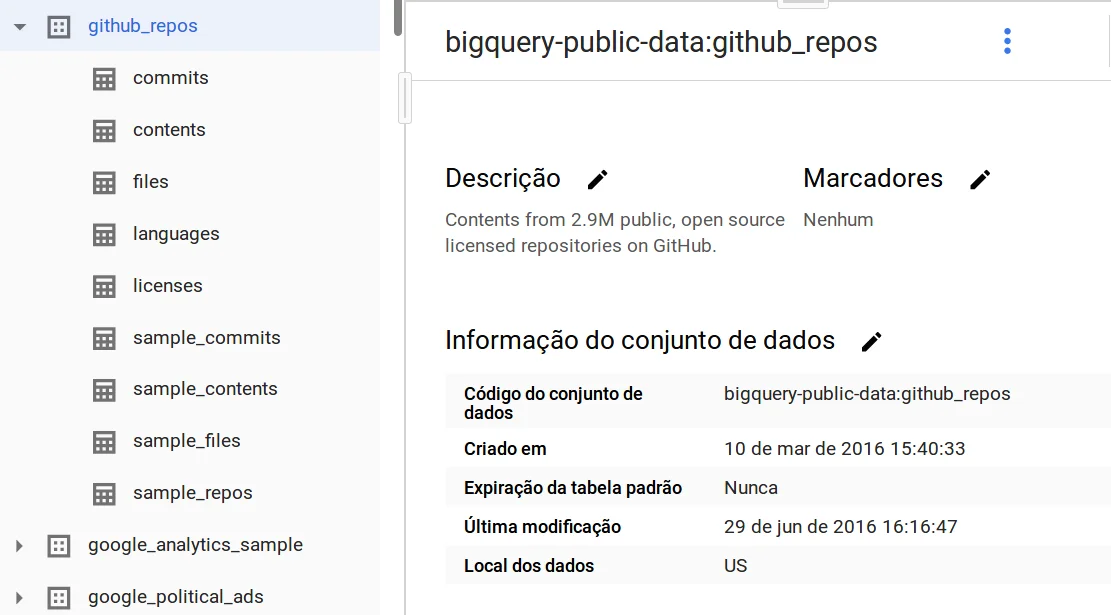
Cute right? You can see from the image above that the github_repos dataset contains 9 tables. Among them a table called languages:
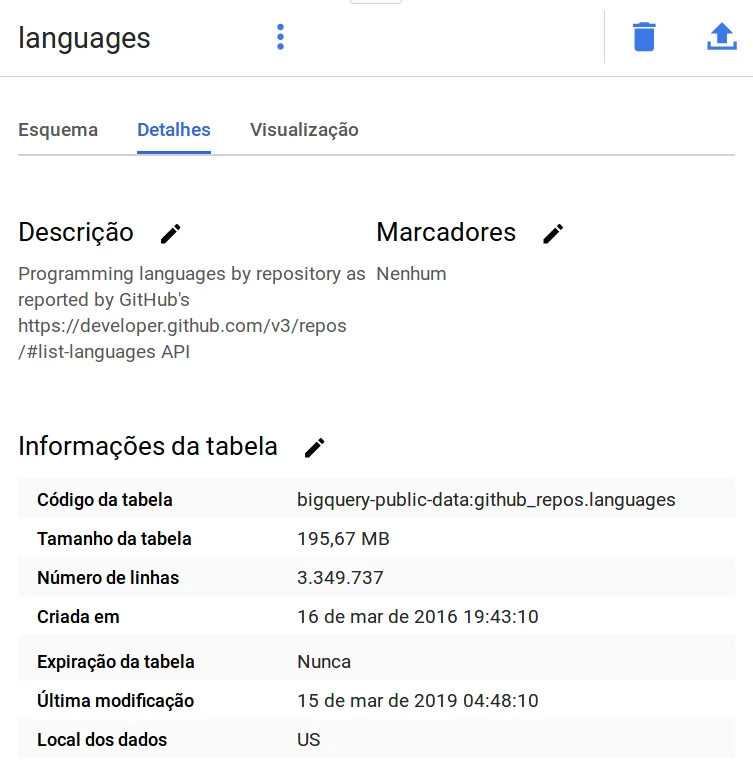
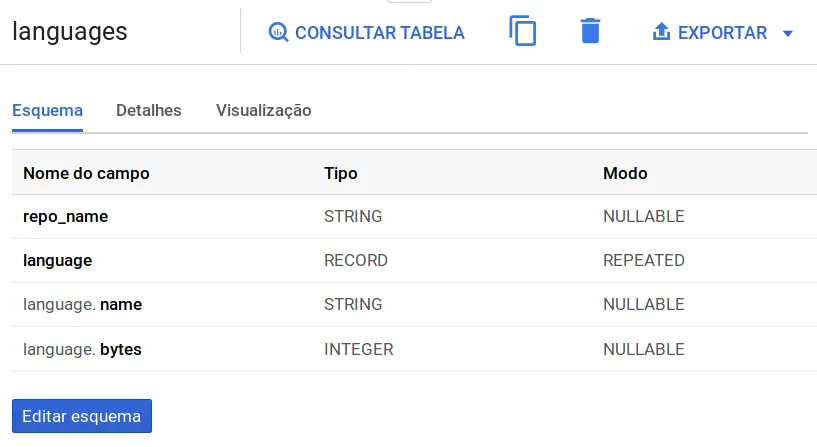
This table, while big, has few columns. Just 4, to be more exact:
With BigQuery you can export data to your Google Drive account. And that’s what I did. First I selected 100 rows from the table using the SQL query below:
|
And after the query ran I clicked the little BigQuery screen to export the results. When you export this data BigQuery creates a folder in your Drive:
And inside that folder a file with the same name with a .json extension. I downloaded that file and renamed it to bq-github-languages.json just so it’d have a name more indicative of the data it contains.
If you open this file you’ll notice something that might be curious: instead of having a single JSON, the file actually has several separate JSONs, one JSON for each row of the table. And this brings us to our first method.
.load()
json.load() takes something that is “readable”, that is, any Python structure that has the built-in .read() method. We can find this behaviour for example in files.
So, if our file had one big JSON containing all our observations, we could use this method like so:
|
|
If you try to do this to load the data from our file, you’ll come face to face with an error:
|
Which makes total sense since we don’t have just one JSON in our file, we have a collection of them, right? This forces us to read each line of the file like this:
|
|
And that’s fine, but this action brings the following result: instead of having a list with several dictionaries, you end up with a list of strings. And if the idea was to manipulate this data, strings aren’t the best data structure for it. Which brings us to the next method.
.loads()
I used to mix up how these two methods work all the time. Until, recently, something clicked. When you have strings, you should use .loads(). You can use the hint that comes from the name itself: s for string.

Then after reading the file line by line with .readlines() you can go through your list of strings item by item and turn it into a dictionary:
|
|
or even use list comprehensions for it:
|
And then we can see the result of that. data[0] will give something like this:
|
|
|
|
|
|
|
|
Cool right? Well, that’s all for today!